Tradie website checklist Australia
Tradie website checklist: 12 things to check before you pay
A good-looking homepage is not enough. Test the parts that help a customer trust you, contact you and get a useful reply.
Direct answer
A tradie site is ready to pay for when a customer can quickly confirm your trade, services, service area, trust evidence and next step on a phone. You should also control the domain, site account, enquiries and measurement. Test those things yourself before the final payment.
The Australian Government’s site guide starts with goals, structure, mobile use, accessibility, security and testing. That is a better frame than choosing a site from a screenshot.
Your site has a job. It should help the right customer decide whether you fit, then make the next step easy. The checklist below turns that job into evidence you can see.
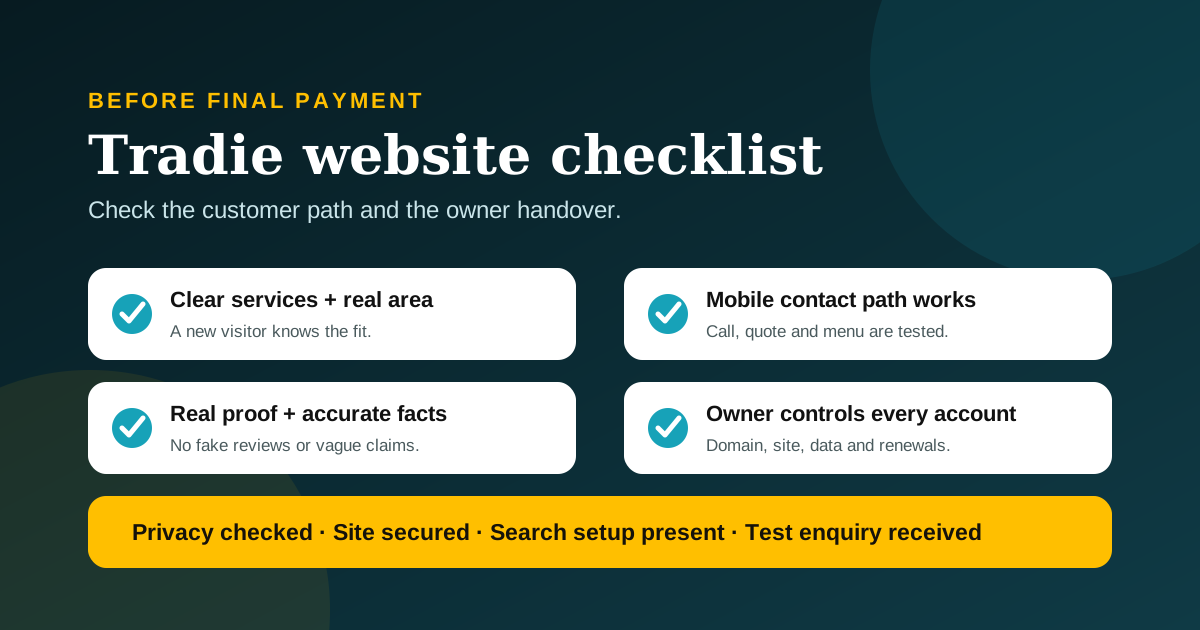
Quick pass or fail test
| Check | Pass | Fail |
|---|---|---|
| Business fit | The trade, main services and real service area are clear. | A visitor must guess what you do or where you work. |
| Phone use | Text is readable and the call or quote action works. | Menus, forms or popups block the next step. |
| Trust | Claims use current, checkable evidence. | Stock proof, fake reviews or vague “number one” claims appear. |
| Ownership | You hold the domain and have admin access. | The builder controls the account and no exit path is written down. |
| Enquiries | A test enquiry arrives with the right details and a clear next step. | The form says “sent” but nothing reaches you. |
The 12 checks to run before final payment
- Your trade and best-fit jobs are obvious. Read the first screen as if you know nothing about the business. It should name the trade and the work you want. “Quality solutions for every need” says very little. “Residential electrician for switchboards, lighting and fault finding” gives a customer something useful.
- The real service area is clear. State the places you genuinely serve. Do not accept dozens of copied suburb pages with only the location changed. A concise service-area explanation is more honest and easier to maintain.
- Every important action works on a phone. Google uses the mobile version of a site for indexing and ranking. More importantly, customers often search while away from a desk. Test the menu, click-to-call link, quote button, form, map and any booking path on a small screen. Then run the 15-minute tradie website accessibility test with a keyboard and 200% zoom.
- The contact choice matches how you work. Emergency work may need a clear call button. Quoted work may need a form that asks for suburb, job type, urgency and photos. Do not force every customer through a long form when a short call would do.
- Services have useful, separate explanations. A service page should explain the job, who it suits, what affects the next step and what the customer should prepare. It should not be the homepage copied under a new heading. Google’s SEO Starter Guide recommends useful, readable, well-organised content rather than keyword repetition.
- Trust evidence is real and current. Use your own project photos where permission exists. Follow the tradie job-photo workflow to capture useful proof, screen private details and keep the permission note. Show licences or registrations only when relevant, current and lawful to display. Use the licence-number website check to match the holder, work scope and official register. Link to real public reviews rather than copying or inventing praise. Never publish a customer’s name, address or image without permission.
- The legal business details are accurate. Check the business name, ABN or ACN where you choose to display it, phone, email and address or service-area wording. These facts should match the details customers see in your other public profiles.
- Your business controls the domain and key accounts. Check our Australian tradie domain-name guide, then confirm the eligible person or company is recorded as the registrant with an email account the business controls. Get admin access to the site, hosting, analytics, Search Console, form service and business profile. Record renewal dates and two-factor authentication recovery details.
- Customer information is handled carefully. A quote form collects personal information. Ask only for what the job needs, secure the account that receives it and decide how long to keep it. The Privacy Act does not cover every small business, but the OAIC says some businesses with annual turnover of $3 million or less are covered. Use the tradie website privacy-policy test to check coverage, map the data and separate the broad policy from the notice beside a form.
- Marketing consent is separate from a quote request. A person asking for a quote has not automatically agreed to every future marketing message. ACMA says commercial messages need consent, sender identification and a working unsubscribe option. If the form includes marketing, make that choice clear.
- Basic search and sharing setup is present. Each important page needs a clear title, useful description, one main heading, a canonical URL and visible text. The site should have working internal links, a robots file and an XML sitemap. Structured data must match the facts people can see.
- Measurement and handover are tested. Send a real test enquiry. Check the email, notification, spam folder, reply path and any CRM entry. Confirm analytics records the page visit and action without exposing sensitive form details. Ask for a short handover note covering edits, backups, renewals and support.
Once the handover is complete, use our website maintenance guide for tradies to assign renewals, backups, updates, enquiry tests and business-detail changes to the right owner.
Do not pay for an outcome nobody can prove. A builder can prove that a site is live, usable, crawlable and measured. They cannot guarantee first place in Google, a fixed number of leads or an AI recommendation.
The minimum useful page set
The right structure depends on the business. A small site can still do a proper job.
| Page | Job it must do | Evidence to check |
|---|---|---|
| Home | Explain the trade, area, best-fit work and next step. | A new visitor can repeat those facts after one minute. |
| Services | Explain the main work in useful detail. | Each page answers a distinct customer question. |
| About or trust | Show the real business, qualifications and proof. | Names, claims and images are accurate and permissioned. |
| Contact or quote | Collect only the details needed for the next step. | A test submission reaches the right person. |
| Privacy | Explain how personal information is handled where required or appropriate. | The policy matches the actual forms and tools in use. |
If the site advertises extra workmanship cover, add a stable summary and full-terms link. Use the workmanship guarantee promise-to-proof checklist before any badge goes live.
Add project pages, FAQs or booking tools only when they solve a real customer problem. A blog is not required at launch. It becomes useful when you can answer recurring customer questions better than a thin service page can.
What can wait until later
- Fancy motion: keep it only if the site remains fast, readable and usable with reduced motion.
- A live chat widget: it is optional if nobody can answer it or its automated replies are weak.
- An instant quote calculator: do not add one if the inputs cannot produce a responsible estimate.
- Dozens of articles: one accurate answer to a real buyer question is better than a pile of repeated posts.
- Every possible integration: connect the tools the team will actually use and maintain.
A five-minute mobile acceptance test
- Open the home page on mobile data, not office Wi-Fi.
- Identify the trade and service area without scrolling far.
- Tap the phone number and confirm the correct number opens.
- Open the menu and reach one service page.
- Increase browser text size and check that content still works.
- Submit the quote form with obvious test details.
- Confirm the message arrives and the customer sees a useful confirmation.
- Try the same path with the phone held in landscape.
If a key action fails, record the device, browser, page and exact step. “The site feels broken” is hard to fix. “The quote button is covered by the cookie banner on a 320-pixel screen” is clear.
Questions to ask the site builder
- Who owns the domain, hosting account, copy, design and photos?
- What happens if we stop working together?
- Which monthly costs renew, and who receives the notices?
- How are form enquiries stored, sent and deleted?
- What is backed up, how often, and how is a restore tested?
- Which pages are included, and what counts as a later change?
- How will you prove mobile use, accessibility basics and form delivery?
- Which search tasks are included, and which outcomes are not guaranteed?
Common questions
Does every tradie site need online booking?
No. Use booking when the job type and schedule suit self-service. A clear quote request or call path may be better for urgent, complex or site-dependent work.
Should a tradie site show prices?
Only when the business can keep them accurate and explain what is included. If jobs vary, explain the factors that affect a quote and the information needed to prepare one.
Does every small business need a privacy policy?
Not every Australian small business is covered by the Privacy Act. Some are covered regardless of turnover or because of what they do. Use the OAIC small-business guidance to check, and get legal advice where the answer affects your obligations.
How many service pages should a tradie have?
Enough to explain distinct, important services well. There is no honest universal number. Start with the work you want and can support with useful information and real evidence.
Will this checklist make the site rank first?
No. It creates a stronger, testable foundation. Search visibility also depends on the query, location, competition, public proof and how search systems process the site.
Get the handover before the hype
Run the mobile test. Send the form. Confirm the accounts. Then decide whether the site has earned final payment.
If you are still deciding whether a site would earn its keep, start with our honest website decision guide for tradies. For the separate job of getting a trade business understood by search tools, read our Google AI Search guide for tradies. You can also see how Alice Booking Diary handles booking and admin workflows or read why FreshTech exists.
See all FreshTech guidesSources
- Australian Government: Set up a business website, accessed 30 July 2026.
- Australian Government: Protect your customers’ information, accessed 30 July 2026.
- Google Search Central: SEO Starter Guide, accessed 30 July 2026.
- Google Search Central: Mobile-first indexing best practices, accessed 30 July 2026.
- Office of the Australian Information Commissioner: Small business, accessed 30 July 2026.
- Australian Communications and Media Authority: Avoid sending spam, accessed 30 July 2026.
Editorial note: FreshTech Community prepared this guide from current primary sources and public website evidence. It contains no paid placement, affiliate link, fabricated test, copied review or ranking guarantee. It is general information, not legal advice.