Tradie website accessibility Australia
Does an Australian tradie website need to be accessible?
Test the real customer path before launch or final payment.
Direct answer
An Aussie trade firm should not treat site access as a choice. The Australian Human Rights Commission (AHRC) says the Disability Discrimination Act covers digital goods and services. That includes work done by a trade. Its 2025 guide points firms to WCAG 2.2 Level AA. It also says the guide is not law. Each case is different. Get legal advice if you are unsure.
Good access is also good service. A buyer may have low vision, hearing loss or a hurt hand. They may find some text hard to read. They still need to find the right job, call the firm, ask for a quote or book a time.
A quick scan cannot prove that path works. A badge cannot prove it either. Start with the real tasks. Use the short test below to find clear blocks. Then get a full review before you claim the site meets WCAG.
This tradie website accessibility Australia guide gives general facts. It is not legal advice. The test is not a full audit.
What does a hard-to-use tradie website do?
Picture a buyer named Sarah. She has a broken wrist and cannot use a mouse well. She presses Tab to reach the “Get a quote” button. The focus goes behind a popup. She cannot tell what is active. The form never opens, so she calls the next firm.
Mark makes the text twice as large. The phone number slides off the screen. A third buyer views a job video with the sound off and gets no captions. Each fault blocks a normal task.
Access is not a second version of the site. It is the same site working for more people. Clear heads, focus marks, form labels and plain text also help in glare, on a small phone or with a slow link.
The law, AHRC guide and WCAG are not the same
The three parts link to each other. Each has its own job.
| Part | What it does | What a tradie should take from it |
|---|---|---|
| Disability Discrimination Act 1992 | Creates legal rights. The AHRC guide says the types of work include work done by a trade. | Do not assume a small trade site sits outside the law. |
| AHRC 2025 guide | Shows how firms can work towards equal access to goods and services on the web. It says the guide is not law. | Use it as the main Aussie guide. Get legal advice for a claim or a duty that is not clear. |
| WCAG 2.2 | Sets clear tests for web content. The AHRC backs at least Level AA. | Put the standard in the build brief and ask for proof. One scan does not show that a site meets it. |
The AHRC can take complaints under the Act. That does not mean each fault has the same legal result. It does mean “we are only a small firm” is a weak reason to ignore access.
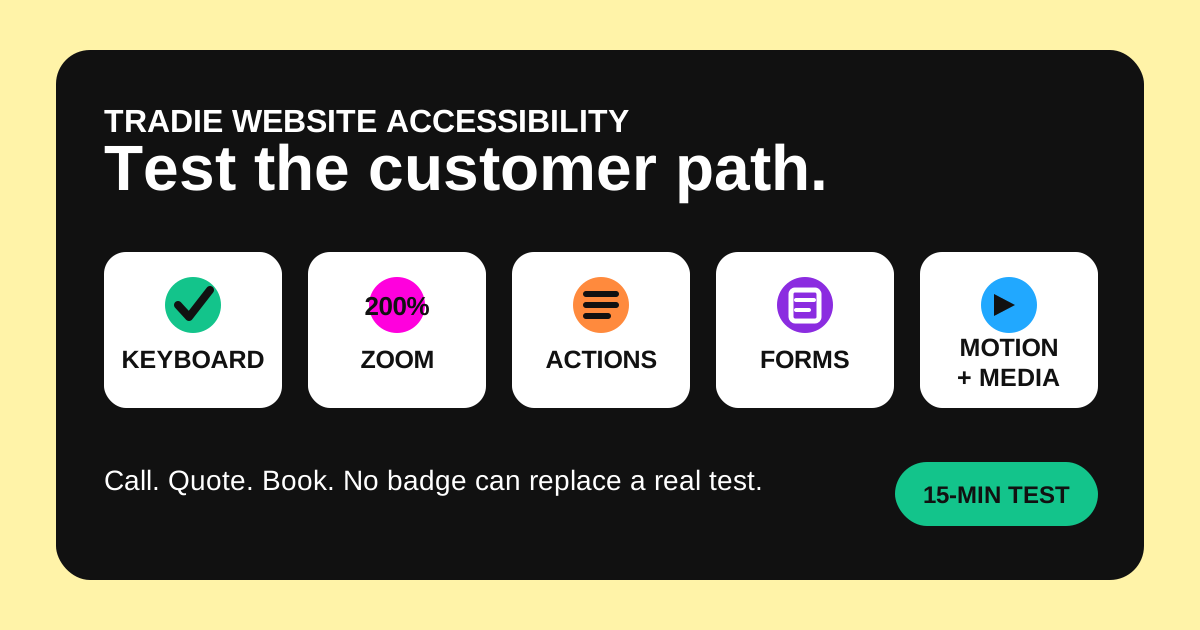
Run this 15-minute access test
Use a real page with the main buyer action. Test the home page, one job page and the quote or book path. The W3C Easy Checks cover much of the same ground. W3C warns that a page can pass quick checks and still have big access blocks.
- Put the mouse away. Press Tab from the top. Reach the menu, phone link, quote button and every form field. Use Enter or Space to activate controls. A visible marker should show where you are.
- Zoom to 200 per cent. Use the browser zoom. Text and actions should remain readable. You should not need to drag sideways to read a normal paragraph. Check that a sticky banner does not cover the form.
- Read each main action. “Call 03 0000 0000”, “Ask for a quote” and “Book an inspection” say what will happen. An icon with no clear name may make no sense to a screen reader.
- Check key images. A job photo that proves a repair needs short alt text or text close by. A shape used just for looks does not. Do not stuff trade names and towns into alt text.
- Complete the form badly. Leave a required field empty. Enter an email in the wrong format. The error should say what needs fixing and remain linked to the field. A red outline alone is not enough.
- Look for colour-only meaning. A required field, error, availability state or selected plan should use words or another clear cue. Check that pale text remains readable against its background.
- Stop the movement. Check sliders, video, pulsing buttons and changing words. People should be able to pause important motion. The site should respect the device setting for reduced motion.
- Check video and sound. A sales video needs captions when speech matters. A call demo needs a text copy or a second way to get the same facts.
Fix blocks in the order buyers meet them
Do not start with a decorative page while the quote form is unusable. Repair the shortest path from a service question to a real response.
| Priority | Examples | Proof to ask for |
|---|---|---|
| 1. Core action | Call, quote, book, emergency contact and form submit. | Keyboard video or live test, labelled controls and a received test enquiry. |
| 2. Job choice | Job details, area, price plan, licence facts and ways to make contact. | A clear zoomed page, sound page heads and clear link text. |
| 3. Trust proof | Job photos, reviews, files, call demos and videos. | Alt text where needed, captions or text copies, and source files you can use. |
| 4. Optional polish | Sliders, animated headings, background video and decorative effects. | Pause controls, reduced motion and no blocked content when effects fail. |
The tradie job-photo guide helps keep photo proof clear and safe. The privacy-policy test covers the details taken by forms that work for all. Access and privacy must match the real site.
Put access in the website brief
“Make it work for all” is too vague for a handover. Name the rule, pages, tasks and proof. A clear brief can ask for WCAG 2.2 Level AA on the agreed pages and parts. It should list the buyer paths that must work.
- Scope: name every template, form, menu, popup, video player and third-party booking tool.
- Core tasks: require keyboard completion of call, quote, booking and contact paths.
- Words: assign who writes page heads, link text, alt text, captions and error text.
- Tests: include code scans, keyboard checks, zoom, phone and screen reader tests that fit the site.
- Proof: ask for the test date, web browser, page, result, fault list and repair proof.
- Change control: state who retests after a new form, plugin, design or booking flow.
Tools made by a third party still affect the buyer. A book form is not excused because some other firm made it. Test it before you sign off the site. If it fails, ask for a fix, a way that works for all or a new tool.
Avoid common false assurances
- “The scan gave us 100.” Scan tools find some faults. They cannot judge each label, read order or real task.
- “We added an access widget.” An overlay does not fix bad source code, lost labels or a blocked book flow by itself.
- “The theme says it works for all.” Your words, colours, tools and forms can add new blocks after the theme ships.
- “Nobody has complained.” A blocked visitor may leave without reporting the problem.
- “It works on my phone.” One touch test does not cover keyboard use, zoom, a screen reader, captions or reduced motion.
Add the test to normal tradie website maintenance. Retest after a redesign, new form, new popup, new media or a changed booking tool.
Questions tradies ask about site access
Does a small tradie business have to follow WCAG 2.2?
WCAG is a web standard. It is not the text of the Disability Discrimination Act. The AHRC's 2025 guide backs at least WCAG 2.2 Level AA for goods and services on the web. The guide is not law. Get advice on how the law fits your firm.
Can a scan tool prove a tradie website works for all?
No. It can find some code and colour faults. It cannot prove each buyer task works. Pair tools with keyboard, zoom, page and screen reader checks.
Is the eight-point test a WCAG audit?
No. It is a quick screen for clear blocks. W3C says a page can pass Easy Checks and still have big access blocks. A full review uses the right WCAG tests across the agreed scope.
Who should fix a third-party booking form?
Ask the site firm and tool firm for a tested fix. The buyer sees one path, not your split of firms. Keep a phone or contact path that works while the block is fixed.
What should I test before paying a website builder?
Test the agreed pages and core tasks. Ask for the defect list and proof of repairs. Use the full tradie website acceptance checklist for ownership, privacy, search and enquiry checks too.
Test the customer path before final payment
Run the quick test on the home page and quote path. Write down each fail. Ask for proof after the fix, not a new badge.
For a plain buyer-side check of a tradie site, ask FreshTech Community. Get a full access review or legal advice when you need a formal result.
See all FreshTech guidesSources
- Australian Human Rights Commission: Guidelines for Equal Access to Digital Goods and Services, viewed 27 August 2026.
- Australian Human Rights Commission: 2025 Guidelines PDF, viewed 27 August 2026.
- business.gov.au: Set up a business website, viewed 27 August 2026.
- W3C: Web Content Accessibility Guidelines (WCAG) 2.2, viewed 27 August 2026.
- W3C Web Accessibility Initiative: Easy Checks — A First Review of Web Accessibility, viewed 27 August 2026.
Note: FreshTech Community made this guide from current Aussie Government, AHRC and W3C sources. It is not legal advice, a full access audit or a claim that a site meets the law. It has no paid link, fake review, made-up fine, rank claim or fake data.